

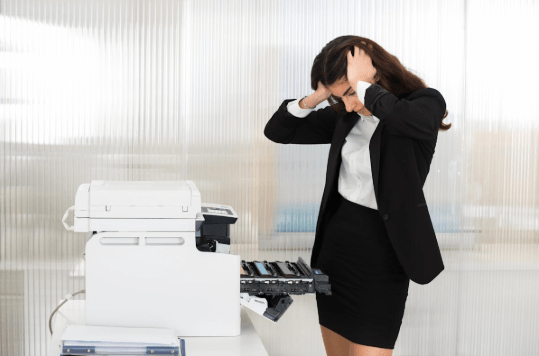




You know that moment when you open a box of freshly printed pages and feel excited for half a second? Then your smile slowly fades. You flip a page one after another, and suddenly you are thinking;
“Why does this look different?”
Or worse,
“Did something go wrong?”
This happens to more people than you think. In fact, it happens every day. Printing has a strange habit of exposing mistakes only after the job is done. On the screen, everything looks bright, sharp, and perfect. On paper, however, even small issues become very visible.
That’s when frustration kicks in. Printing itself is not complicated. But ignoring small details can lead to big disappointments. The good part? Most printing issues are very common, very fixable, and very easy to avoid once you understand them.
Let’s start with those people who complain the most.
Why Do Printing Problems Happen
Most of these problems don’t occur because printing is difficult, but it happens because details are missed. Sometimes things are rushed and misunderstood. What looks perfect on screen may behave differently when ink meets paper, and that is the gap where most of the surprises appear. Understanding these problems can save you time, money, and a lot of frustration.
Problem 1: Unclear or Blurry Text
You choose your printed page and pay close attention to it. The words look readable, but the crisp finish is missing. The edges look soft, and the text lacks that professional look. In this situation, the natural thought is,
“It looked okay on my screen.”
This is the exact issue that what looks sharp on screen does not always print the same.
Why This Usually Happens
Blurry prints are almost always caused by file quality issues, not printer faults. The most common reasons include low-resolution images, files that were enlarged too much, or designs created only for digital use.
In simple terms, the printer can only print what you give it. If the file is weak, the print will show it.
A Simple Real-Life Example
Think about zooming into a photo on your phone. At first, it looks fine, but zoom in further and you start to see pixels.
Now imagine printing that zoomed-in photo. The blur suddenly becomes very obvious. That’s exactly what happens with low-quality print files.
How to Avoid This Problem
The fix is easier than most people expect.
Use high-resolution images whenever possible. Avoid screenshots for professional printing. And always save your final design as a print-ready PDF instead of random file formats.
If you are unsure, ask the printer to review the file before printing. Reliable printers actually prefer this because it saves time, paper, and unhappy customers.
| Common Cause | Simple Solution |
| Low-resolution images | Use images at 300 DPI |
| Enlarged small graphics | Keep designs at original size |
| Screen-based design files | Export proper print-ready PDFs |
Problem 2: Colors That Look “Off” or Totally Wrong
This one hurts a little more than blurry text. You approve the design, and the colors look great on your screen.
Then the print arrives.
And your first reaction is,
“Why does this blue look purple?”
“Was this always this dull?”
“Did the printer change my design?”
This is one of the most common printing problems, and in most cases, no one messed up on purpose.
What’s Really Going On With Colors
Screens and printers speak two different color languages. Screens use light and printers use ink.
So when a design moves from screen to paper, colors naturally shift. Bright screen colors often look darker or less vibrant when printed, especially if the file was never prepared for print.
A Simple Scenario You’ll Relate To
So, you bought clothes online. The photo looks amazing, and the delivery arrives. The color feels slightly different.
Is it bad? No.
Is it unexpected? Yes.
Printing colors work the same way.
How to Reduce Color Surprises
You don’t have to be a designer to fix this problem. All you need to do is follow smart steps. Opt for print-friendly color mode instead of choosing screen-only. It is best to request a sample print if color accuracy is important to you. However, if the print is formal, like letterhead printing in Dubai, then color consistency becomes more important because small tweaks can look unprofessional.
Color issues and how to fix them:
| Color Problem | What Helps Fix It |
| Colors look darker than the screen | Use print color mode from the start |
| Bright colors look dull | Avoid neon or screen-only shades |
| Brand colors don’t match | Ask for a test print or color proof |
Printing Problem 3: Content Getting Cut Off at the Edges
This is the one that usually triggers a panic attack. You look at the print and think,
“Where did that line go?”
Logos feel too close to the edge, and the text looks cramped. On the other hand, important details seem sliced off. It is not that the printer trimmed your design. This happens because printing is not as edge-friendly as your screen.
Why This Problem Shows Up
Printers need space to trim paper cleanly. If designs are pushed right to the edge without proper margins, parts of them can get chopped during cutting. On screen, everything fits perfectly. On paper, a few millimeters can make a big difference.
This is one of those common printing problems people only learn after facing it once.
How to Avoid This Stress Completely
Always keep important text and logos away from the edges. Leave enough breathing room around the design. And if your design needs color all the way to the edge, make sure to add bleed space.
Causes vs Fix of Cut-Off Content
| Issue | Simple Fix |
| Text too close to edges | Add safe margins |
| Background cut unevenly | Include proper bleed space |
| Logo partially trimmed | Keep key elements centered |
Printing Problem 4: Paper That Feels Too Thin or Cheap
This problem usually doesn’t shout, but it whispers. You look at the print, the design is fine, and the colors are okay. But something feels off. You touch the paper and instantly know it doesn’t feel as good as you expected.
That feeling matters more than people admit. Paper quality silently shapes how your brand, document, or message is judged.
Why Paper Quality Gets Overlooked
Most people focus on design and forget the paper until the very end. When budgets are tight or decisions are rushed, paper choice becomes an afterthought. But thin or low-grade paper bends easily, shows ink through the back, and never feels premium, no matter how good the design is.
How to choose Good Quality without Overthinking
Choose paper according to your purpose and not just the price. Formal letters, documents, and branded materials deserve to have thicker stock. Everyday prints can be lighter, but they should still feel sturdy.
Companies that offer the best UAE printing services usually guide clients on this, because the right paper improves the final result more than most people expect.
What Goes Wrong and How to Fix It
| Paper Issue | Better Choice |
| The paper bends too easily | Use thicker GSM paper |
| Print feels low quality | Match paper to purpose |
| Ink shows through the back | Choose higher-opacity paper |
Frequently Asked Questions
Are printing issues very common?
Yes, they are very common. Most people face this issue for the first time when printing, especially if it is their first time. The best thing is that most problems are small and easy to prevent.
Can small alignment issues really matter?
Yes. Even tiny alignment problems can make a print look messy or unprofessional. People may not know what’s wrong, but they will feel it.
Should I always ask for a sample before printing?
If the project is important, then yes. A sample or proof can catch mistakes early and save you from wasting money and materials later.
It’s a Wrap
Printing problems feel frustrating because they usually appear at the very end, when everything is supposed to be done. That’s when mistakes hurt the most. But here’s the honest truth. Mostly, printing issues are not disasters, but they are lessons.
So, next time when you are printing something, you should wait for a while. Look for the details, ask questions, and don’t try to rush the process; you will end up horribly. This is because when printing is done right, it not only looks good but also feels right.